

What's New in Paprlss v1.0.1
The team at Paprlss has been quite busy since we launched in early June. Calculated Fields, Email Notifications, and Shared/Embedded Documents are just a few of the powerful new features that have been added to the Paprlss platform. Please, read on for the complete list of the major features that have been released in v1.0.1!

New Field Type: Calculated Fields
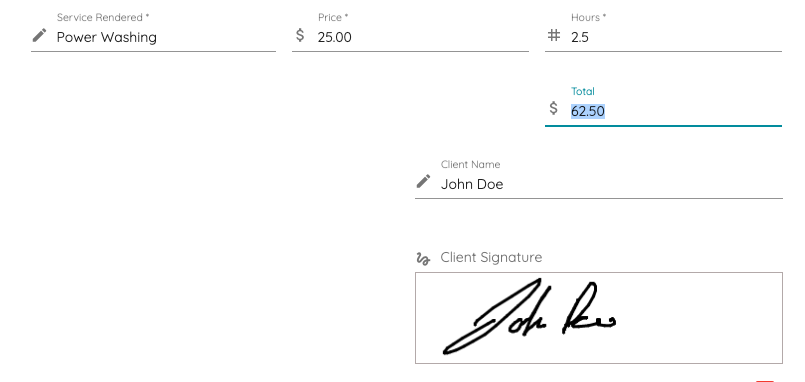
All forms and files have a new available field type, the calculated field!
Think of it as the formula cells on an Excel sheet. Write your formula using static values set by you, number field values on the document as users fill them out, or other calculated fields on the current document. The formula will be executed behind the curtains in real-time.
Use the calculated field to tally sub-totals, grand totals, inspection scores, and more. Paprlss lets you write any kind of mathematical formula, in a readable, fool-proof way!

Email Notifications
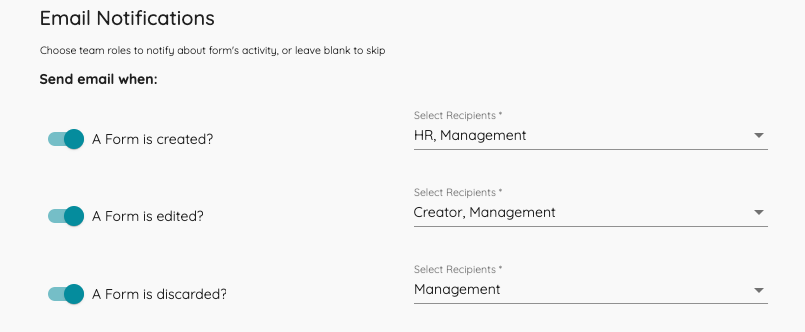
Want to know when a document has been submitted, edited or discarded?
When creating or editing a form, file or survey, team administrators now have an option to activate email notifications for that document. Choose between the three document actions (create, edit, discard) for when to send an email and select your recipients by role, or simply select to send to all team members with view access. Turn on all notifications, or only the ones that are critical to your workflow. These can be changed them at any point!

Share or Embed Documents
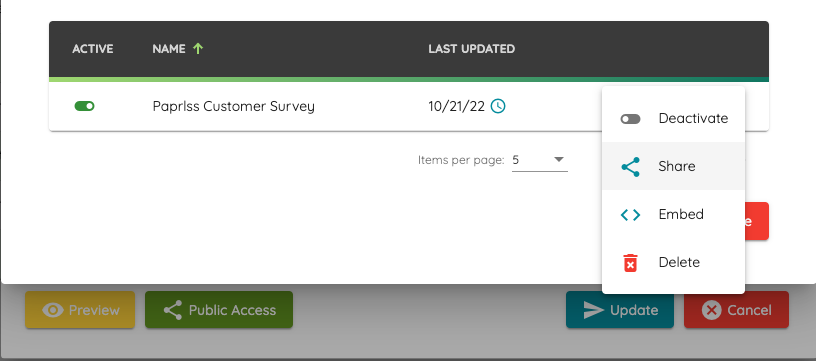
Capture information from non-Paprlss users!
Previously, to submit forms or respond to surveys on Paprlss, the user completing the documents needed to be part of your team and logged in to their Paprlss account. With Public Documents this is not the case anymore!
Team administrators can generate shareable links (or embed codes for the web savvy) to allow for completing documents without an account! Generate multiple shareable links or embed codes for different recipients and give them a nickname to be used as the Completed By attribute on the completed document. Team administrators can decide at any time when to expire the shared link.
Start sending out those customer satisfaction surveys and reviews!

Field Level Permissions
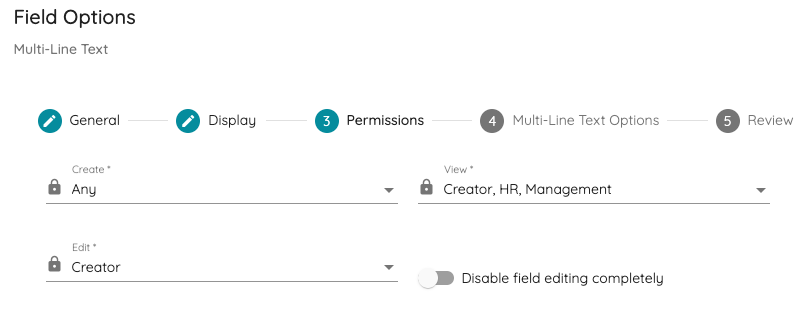
Get more nitty-gritty with access rules using field-level permissions!
Keep sensitive information on a form private, keep admin-level fields restricted to other team members, etc. Similar to document permissions, select which users (by role) have access to view, submit and edit a single field value.
For example, allow only employees to fill-out desired vacation days, restrict anyone that isn't the creator of the form from editing that field, and have a field for "approved" that only the employee can see and only the manager can fill-out or edit. You can also create fields that are immutable, that is, restrict editing permissions for a field value completely.

Conditional Field Logic
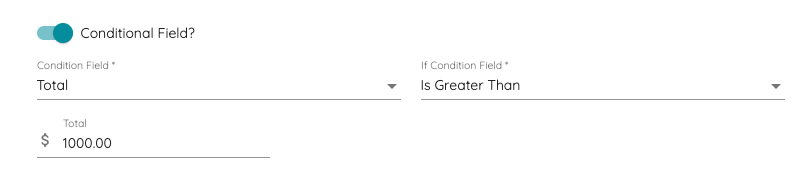
Use Conditional Logic to show and hide a field based on the value of another field!
All fields default as visible based on the field permissions for the user completing the document. Now you can use conditional logic to control field visibility based on the values of other fields within the current document.
Require a signature when a total is more than $1000? Use conditional logic with a Draw / Sign field to collect the signature when required.

Active/Inactive Documents
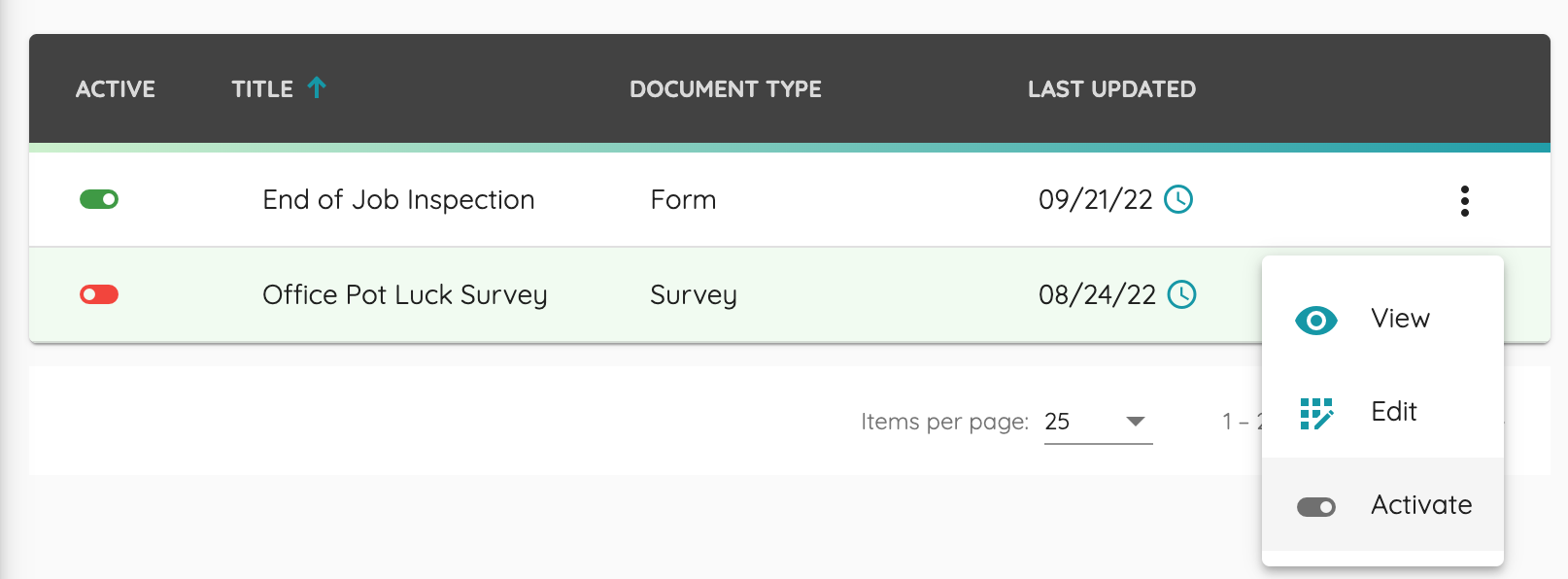
With a quick status toggle decide which are your current active* documents!
All newly created documents will now default to a status of "inactive", this means only admins can view the document and manage it.
Set your document to "active" once the final draft is ready and you're ready to "publish" it to your team, this will make the form, file or survey, visible and submittable. Want to retire an old form? Set it to inactive! Want to stop receiving submissions for a survey? Set it to inactive! It won't be submittable again unless it's set to "active".
*Only active documents count against your subscription tier limits.

Ready To start using Paprlss?
Register for free today!